

instructions
How to Edit GSAP Animations
loader and home load animation
Loader
Quick explanation: GSAP code that animates element with ID "counter" by updating text from 0 to 100 while the page is loading.
This template includes a loader that runs only on the homepage.
You’ll find it inside the Loader div block. Within that div, there’s a Custom Code Embed responsible for the animated counter.
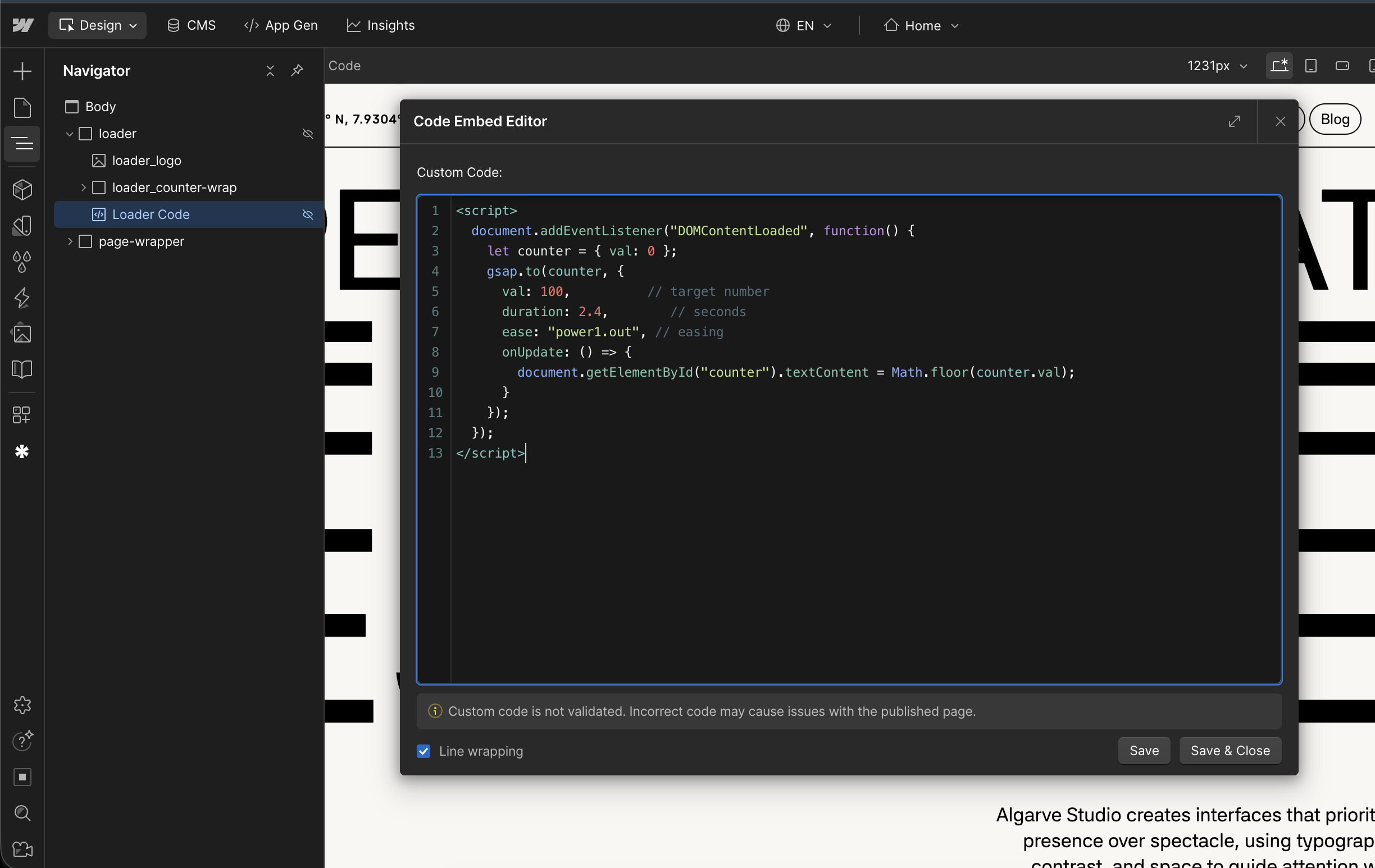
If you open and edit that embed, you’ll see a small GSAP script that animates the counter from 0 to 100.
Important:
- Do not over-edit this code.
- The main value you’re expected to change is duration.
- duration: 2.4 means the counter animates for 2.4 seconds.
- You can optionally adjust the ease value if you know what you’re doing, but it’s not required.
Everything else should stay as-is to avoid breaking the animation.
Removing or Reusing the Loader
If you don’t want to use the loader:
- You can delete the entire Loader div block. That’s it.
If you want to keep it for later:
- You can copy the Loader div block to another page or store it somewhere in the project. No problem at all.
The loader is fully self-contained.
Page Load Animation (Webflow GSAP)
The homepage also uses a page load animation built with Webflow GSAP interactions.
Currently:
- The page load animation has a delay of 1.2 seconds.
- This delay is intentional and synced with the loader.
If you remove the loader:
- You should lower the page load delay to 0 seconds.
- Otherwise, users may wait unnecessarily before the animation starts, which feels slow and broken.
Best options if you don’t want the loader:
- Reduce the page load delay to 0s, or
- Delete the page load animation entirely if you want instant content with no motion.
Recommendation
For the best experience:
- Keep the loader.
- It gives context, pacing, and makes the page load animation feel intentional.
But the template is flexible:
- Remove the loader.
- Adjust the delay.
- Or remove animations altogether.
Your call.